A place is enough. So is a year. The whole trip is back.
Maplapse turns your old and new holiday photos into a map of your travels, retroactively, with every stop and the journey between them. No tagging, no setup.


No Maplapse account, no tracking, no ads. What leaves your device is up to you.
Requires your camera to save the location in each photo. Location Services need to be on.
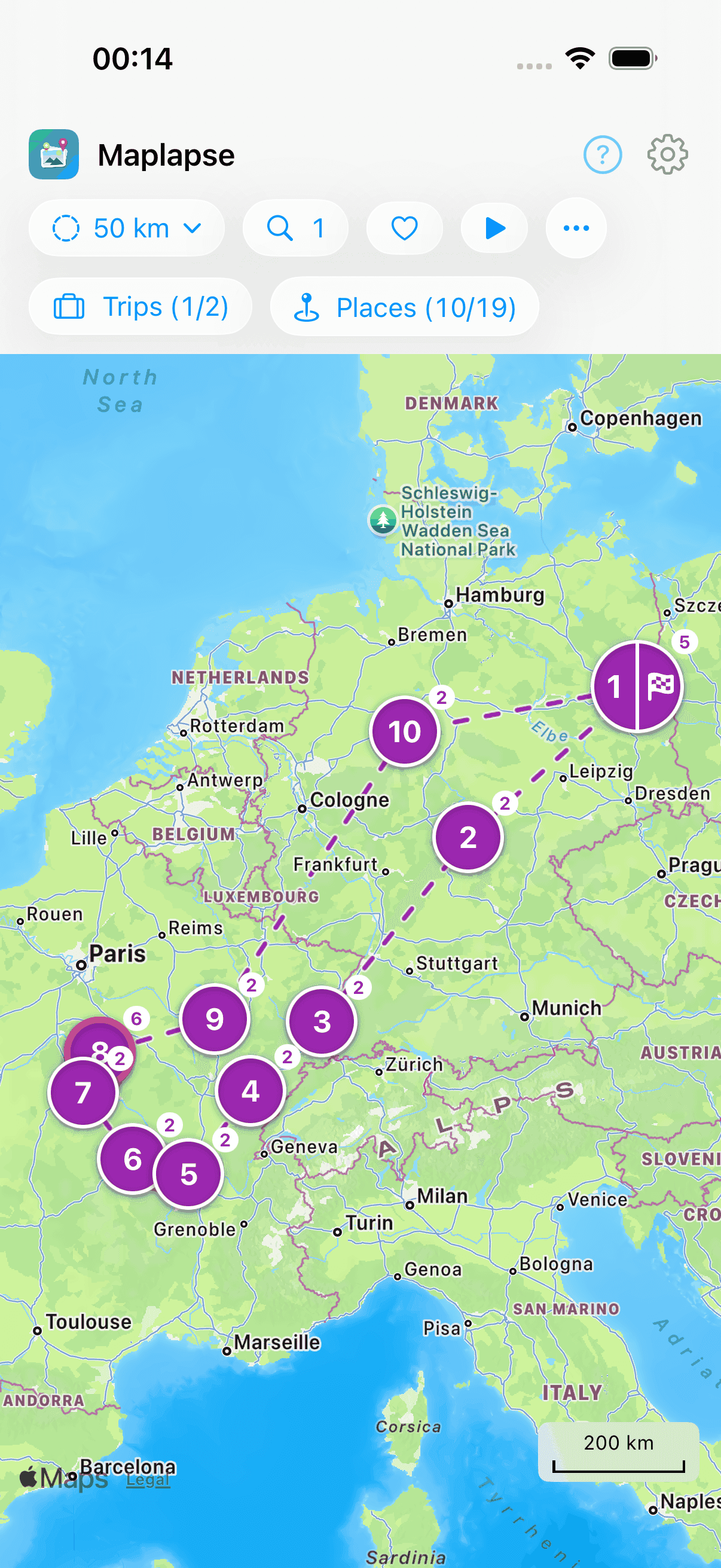
Maplapse at a glance
- Maplapse is an app for iPhone and iPad that automatically draws a map of your travels from the location and time stored in your photos.
- Maplapse works retroactively, so trips from years ago appear on the map as soon as you open the app, with nothing to set up beforehand.
- Maplapse groups your photos into trips with individual stops, links the stops into a journey and shows each stop with its photos and your notes.
- Maplapse analyses your photos on your device, runs no server of its own for your travel data and contains no ads and no tracking.
- Maplapse is free to use, and that includes the slideshow for three trips and three links for sharing. The Maplapse Pro subscription lifts those limits and adds extras such as iCloud sync and sharing your whole map.
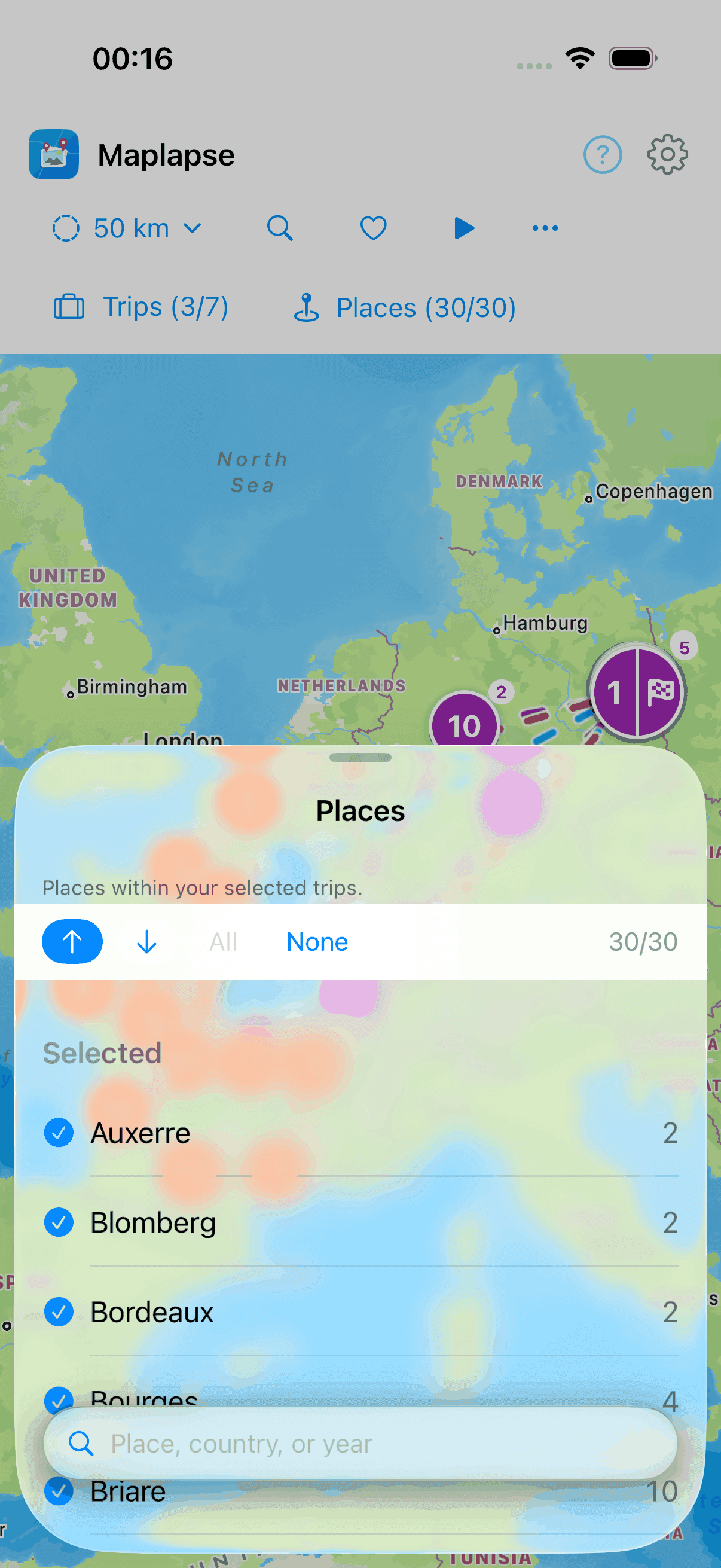
Filter by place instead of scrolling through thousands of photos
Maplapse lists every place from your trips, with a photo count. One tap hides everything else, leaving exactly the place you remember. A single summer turns into a holiday map you can search.
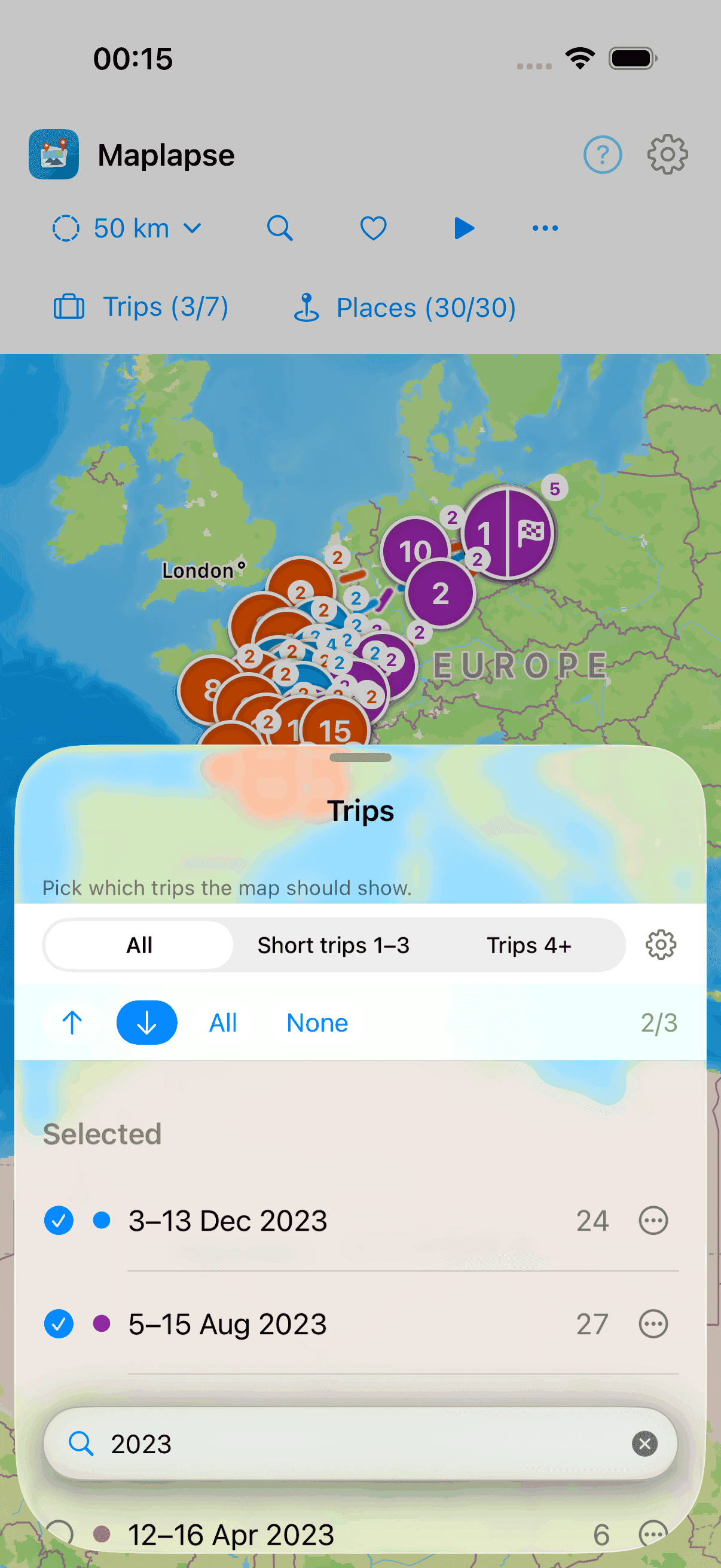
Filter by year: when were we where?
Remember the year but not the destination? Just type the year into the Trips filter, “2023” is all it takes, and Maplapse shows every trip from that year. Your library becomes a trip timeline you can walk back through, year by year.
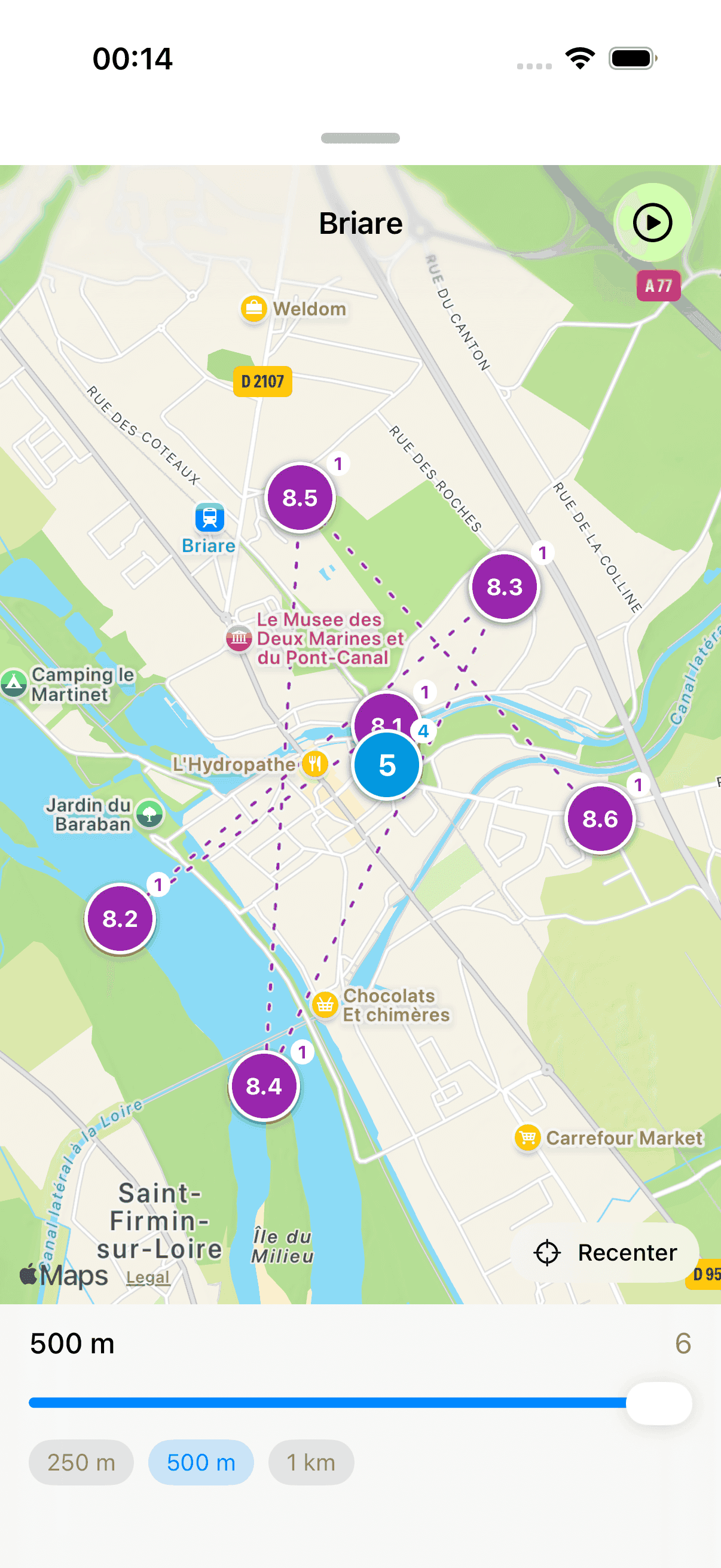
Zoom into every corner of a place
There's more behind a stop: harbour, old town, viewpoint. Maplapse splits a place into its individual spots. You instantly recognise where you were.
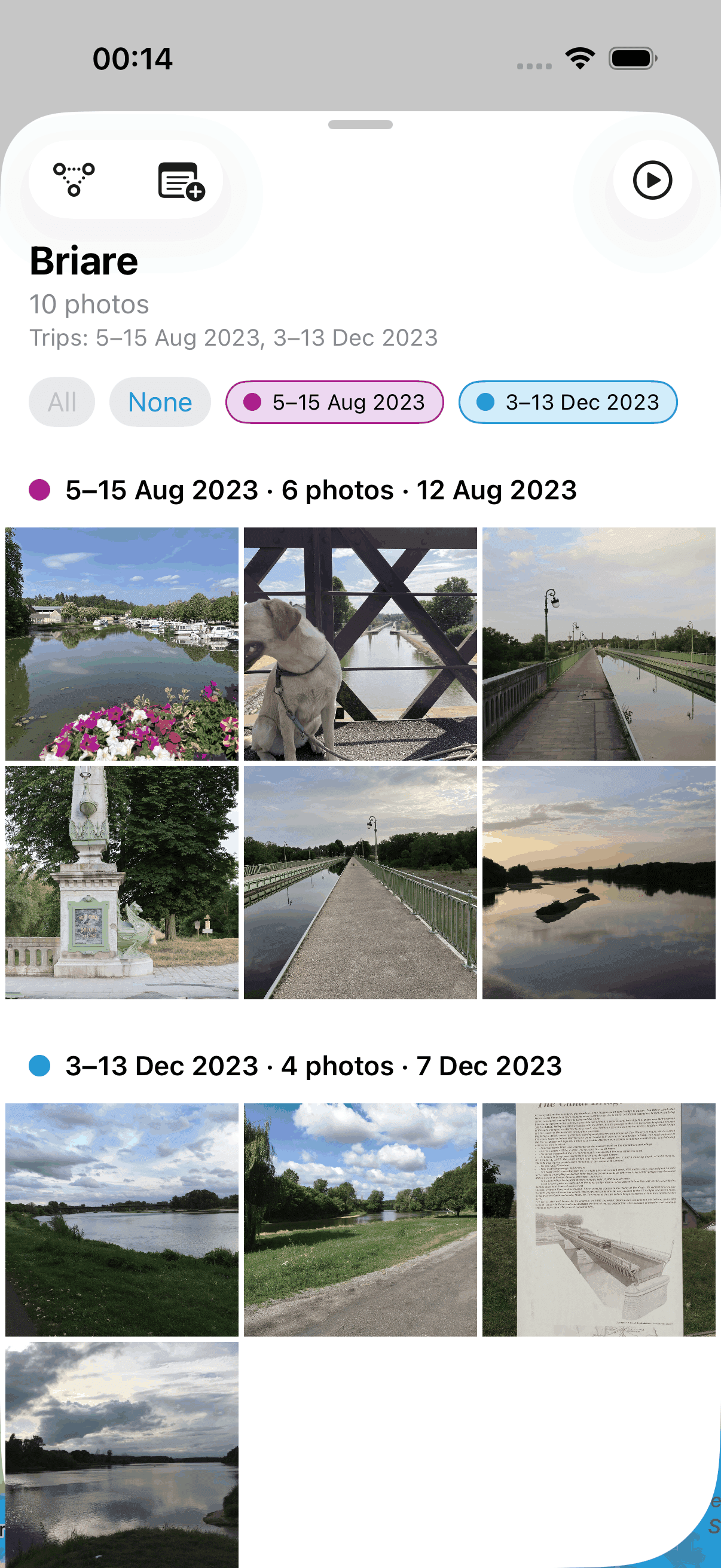
The photos of a place, relived
Every stop opens its gallery, sorted by trip and date. “Somewhere in France” becomes “that one afternoon in Briare”.
What Maplapse does for you
Trips build themselves
Maplapse recognises from your photos where and when you travelled, and turns it into connected trips with individual stops. Past trips too, years behind you: your trip map is built retroactively from what is already there. Nothing to label, nothing to sort. Just open it.
Your photos stay with you
Maplapse builds your travel map right on the device. Only the place names come from Apple Maps. Photos leave your device only if you want them to. When you share a trip as a link, reduced copies live in your own iCloud. When you pass on a single photo, it goes to the app you choose for it. iCloud sync transfers your trip data, but no photos. No server of ours holds your data.
Note, tidy up, find again
Write a note for any place and format it with a few taps: bold, italic, lists, headings. Hide photos that don't belong to a trip. And just type a place, a date or a keyword, and the match appears on the map right away.
Shot sideways? Straightened.
A photo lying on its side because you turned the camera? Rotate it upright with one tap, right inside Maplapse, with no detour through the Photos app.
For every way of travelling
Campervan and camping
Short hops and a different pitch every night: Maplapse turns them into a map where each overnight stay can become a stop of its own.
Road trip
Plenty of places in a short time: Maplapse puts your road trip photos into stops in the right order, ready to find again by place or year.
Cycling tour
Many places in one day, a different bed every night: Maplapse maps the photos from your bike tour in as much detail as you want.
Hiking and long-distance trails
From a day walk to a long-distance trail: Maplapse shows where you took photos along the way, right down to individual viewpoints.
Backpacking
Months on the road, many countries: Maplapse turns your photos into a map of the whole journey that you can search by country, place or year.
Maplapse Pro
Everything shown so far is completely free to use. Maplapse Pro builds on it, for everyone who wants to show their trips often, keep them together with others or carry them across devices. Playing a trip and sharing it as a link also work without Pro: three trips and three links are free.
Pro is a subscription, monthly or yearly, with a free period to try it out, shared with up to five people via Family Sharing, and cancellable any time in the iOS Settings under Apple Account › Subscriptions. The app shows you the current price before you buy. Everything that is free stays fully usable, and anyone viewing a shared trip from a link needs neither Pro nor a purchase.
Play your trip
ProThree trips freeOne tap turns your trip into a slideshow: the map flies from stop to stop, your photos appear as if by themselves, and your notes tell the story alongside. Automatically, at the right pace. There is nothing to assemble. Three trips are free without Pro, from start to finish. With Pro there is no limit.
Trip as a link
ProThree links freePass a single trip on as a link. Whoever opens it sees exactly that trip as a slideshow: the map flies from stop to stop, with the photos and your notes along the way. The free app is enough for that. Three links are free without Pro, and with Pro there is no limit.
Share your map
ProOpen up your whole map to friends, travel companions or family: invite them by iCloud address and grant each person “Read only” or “Read & write”. What travels along: places, times, notes, the trip names you gave and the hidden photos. It always covers all your trips. You cannot select individual ones. It works best with Apple's Shared Photo Library: then Maplapse brings all your photos together into one shared trip.
On all your devices
ProYour trips and notes appear automatically on iPhone and iPad, through your own iCloud account. Only places, times and notes are synced, never your photos.
Advanced search
ProWith Pro the search forgives typos: “Marseile” still finds Marseille. And it searches your notes as well, not just places, countries and dates. The exact search stays free; Pro only makes it more forgiving and wider.
Bring in photos without a location
ProPhotos from a camera, from a messenger or taken with location switched off carry no place and therefore stay off the map. Maplapse shows you which of them fit a stop in time; you give them the place with one tap, taken from that stop’s photos.
Frequently asked questions
What is Maplapse?
Maplapse is an iPhone and iPad app that automatically turns the photos you already have into a map of your travels. It reads where and when each photo was taken, groups the photos into trips with individual stops and joins the stops up into a journey. There is nothing to label and nothing to sort. Tap any stop to open its photos, and add a note if you like.
Does Maplapse work with trips from years ago?
Yes, Maplapse works retroactively with every photo already in your library. A trip from ten years ago appears on the map as soon as you open the app, as long as its photos carry a location. You never have to register a trip in advance or record it on the way. The first analysis of a large library can take a while; it is quickest with your device on the charger.
What happens to my photos and data?
Maplapse analyses your photos on your device, and there is no Maplapse server that receives or stores your photos, travel data or notes. Maplapse itself sends data only to your own iCloud: when you turn on iCloud sync, which is off by default, or when you share a trip. You can also pass a single photo or a location to an app of your choice through the iOS share sheet. All of it is always your deliberate choice. To show place names, Maplapse sends individual coordinates to Apple's map service. Maplapse contains no ads, no trackers and no analytics.
How much does Maplapse cost, and what is Maplapse Pro?
Maplapse is free to use and works fully without Pro: trips, stops, the gallery, notes, search and filters are all part of the free app. So are the slideshow and sharing as a link, up to a point: you can play three trips from start to finish, and three links are free. Maplapse Pro is a subscription, monthly or yearly, with a free period to try it out and Family Sharing for up to five people. Pro lifts the limit on slideshows and links and adds iCloud sync, sharing your whole map, advanced search, your own trip names and placing photos that have no location, among other things. The app shows you the current price before you buy, and you can cancel any time in your iOS Settings.